
News of the Tapas shutdown has creators looking for a new place to continue their stories. Some are already exploring other platforms and sharing new links with their readers.
We know what goes into a webcomic: the time spent on every episode, the conversations in the comments, and the readers who come back to follow your story. Moving your series means thinking about all of that, not just uploading your episodes somewhere else.
Now is a good time to prepare your next step. Back up your work, save your series information, make sure your readers know where to follow you, and start looking for a platform that fits your story.
In this guide, we'll walk through each of these steps so you can prepare your comic, keep your readers informed, and decide where to publish next.
What we know about the Tapas shutdown
On September 22, 2026, Korean publication MoneyToday reported that Kakao Entertainment is preparing to shut down Tapas, its North American webcomic platform.
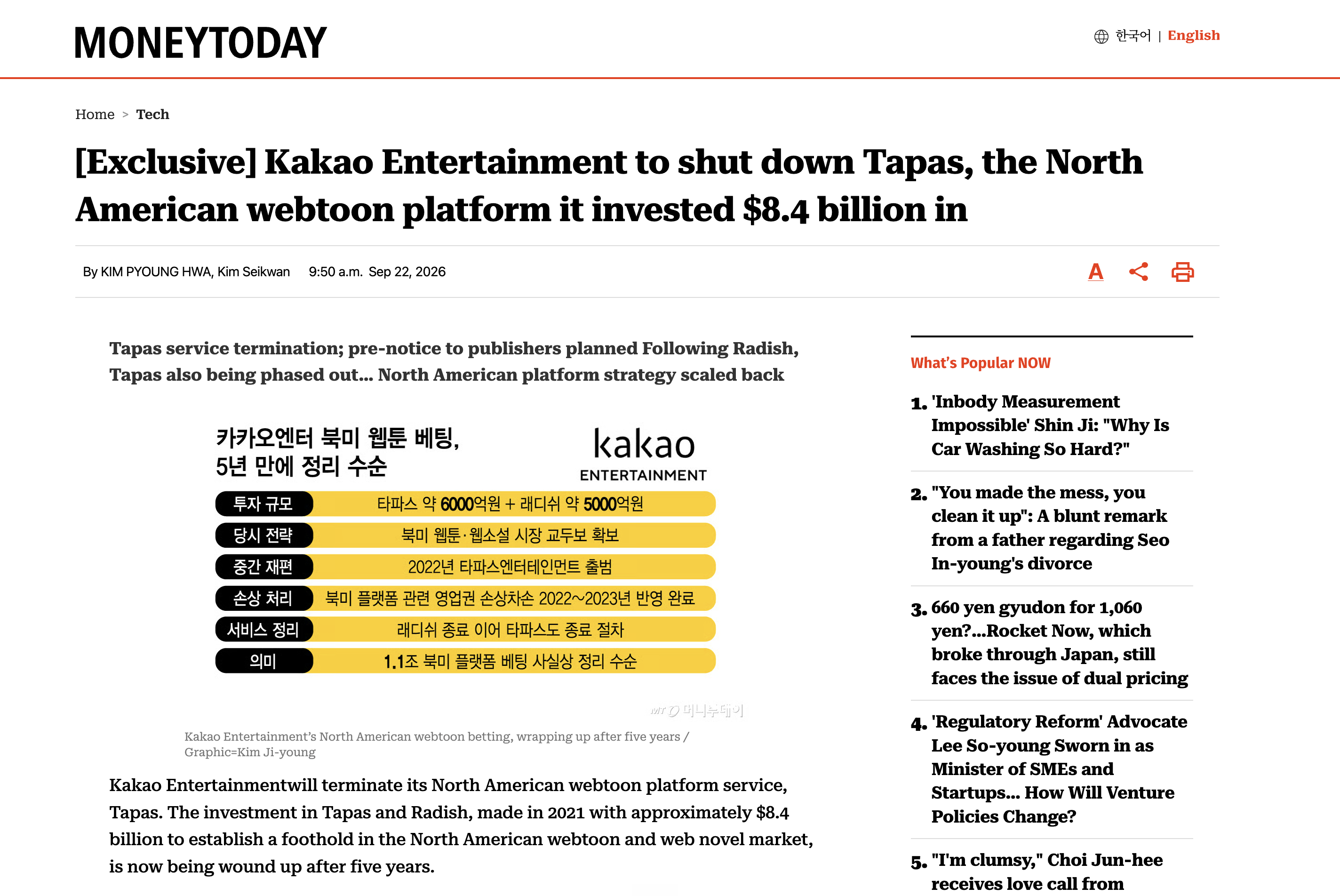
According to the report, Kakao Entertainment plans to share more information with publishers and rights holders about the shutdown schedule, published works, settlements, and the steps that follow.
For creators publishing directly on Tapas, the important thing right now is to prepare your own backup and migration plan.

As of September 24, 2026, Tapas has not published creator instructions on its Newsfeed, and Kakao Entertainment's global newsroom does not currently include a public Tapas shutdown announcement.
So for now, plan your move independently: keep your own copies of your episodes and series information, save the links and details you may want to reuse, and make sure your readers have another place to follow you.
Tapas and Kakao Webtoon are separate changes
At the same time, Kakao Entertainment is making another change to its webtoon business in Korea: Kakao Webtoon is being integrated into KakaoPage.
Kakao Entertainment announced that users of KakaoPage and Kakao Webtoon will receive more information about that integration on September 29, with the integration planned before the end of 2026.
This is separate from the Tapas shutdown. If you publish on Tapas, the useful takeaway is simple: prepare your comic so you can continue publishing it wherever you decide to go next.
Sources
Your Tapas migration checklist: 5 things to do now
Before choosing where to publish next, make sure you have everything you need to move your series without losing important information along the way.
Here are the five things we recommend doing first:
- Back up your comic files Keep your original episode files somewhere you control, not only on Tapas.
- Save your series information Copy your synopsis, episode titles, descriptions, cover images, publishing order, and anything else you may want to reuse.
- Give readers another way to find you Share your social accounts, website, Discord, Patreon, or another page where readers can follow you outside Tapas.
- Compare your publishing options Look at ownership, exclusivity, monetization, content rules, language support, and publishing tools before choosing your next platform.
- Prepare your new series page Get your cover, description, genres, episode files, and creator links ready so you can start publishing again without rebuilding everything from scratch.
We'll go through each of these steps.
Save your comic and series information
Start with your original artwork, not just the images you uploaded to Tapas. Keep both your editable files and your exported episode images. You may need to resize images or adjust how an episode is split for your next platform.
Create a dedicated backup folder on your computer, then keep a second copy on an external drive or cloud storage.
Alongside your artwork, save the information you'll need to rebuild your series page:
- Series details: your title, synopsis, genres, content warnings, and creator links.
- Presentation images: your cover, thumbnail, and any banners you use.
- Episode details: titles, descriptions, author notes, reading order, and original publication dates.
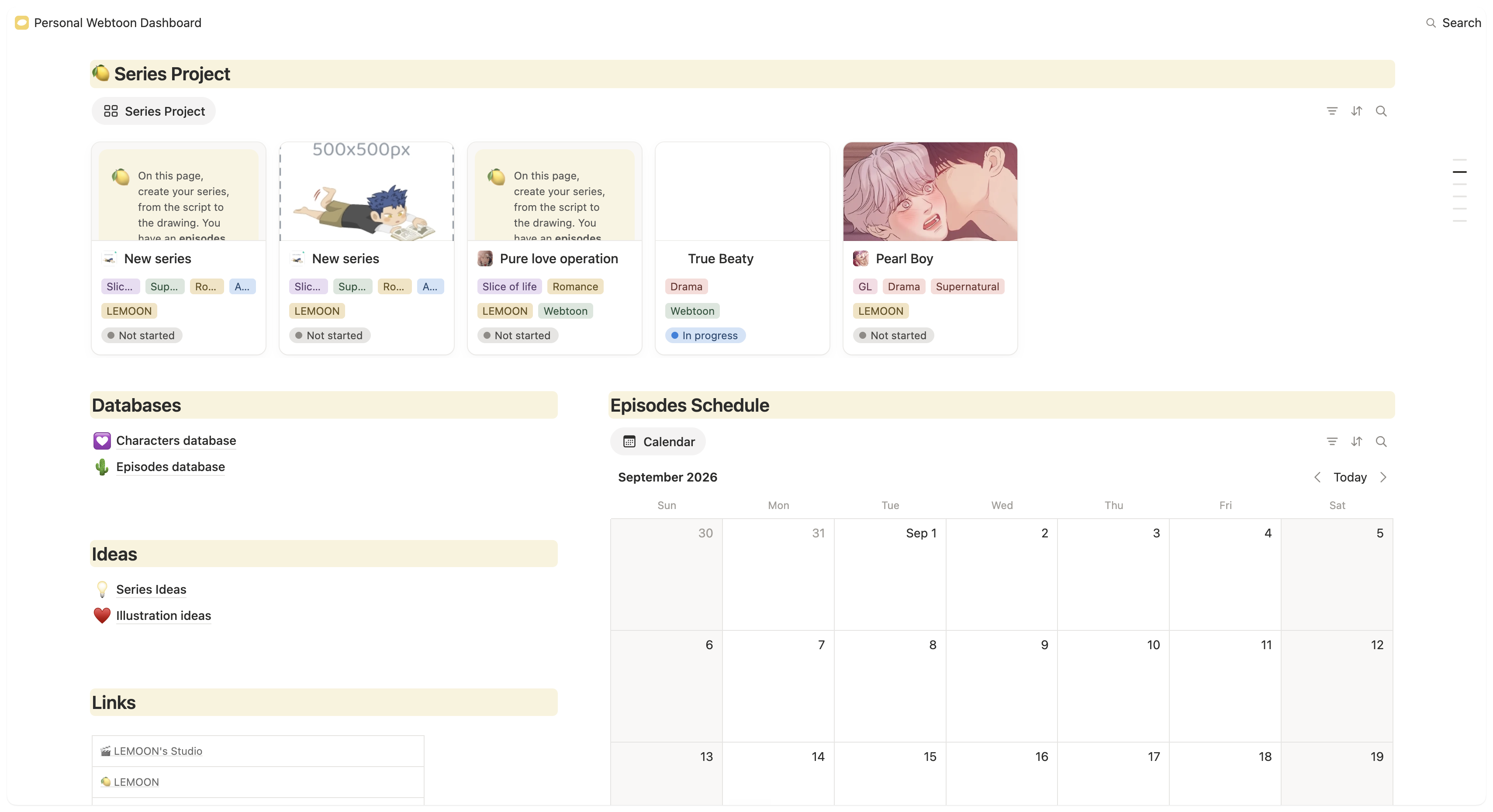
A simple spreadsheet or a Notion database can help you keep everything organized. Give each episode one row and add the name of its corresponding folder. For example, episode 12 could point to a folder named 012-the-letter, containing its images in reading order.
Save screenshots of any analytics you'd like to keep, too. These give you a reference for your series' performance before the move.
Before calling your backup complete, open the files and check that every episode is accounted for, including any prologues, bonus chapters, or special episodes.
Help your readers find you again
Your episodes are only one part of what you built on Tapas. You also have readers who subscribed to your series, followed new episodes, left comments, and came back to see what happened next.
When you move your comic, make it easy for those readers to find you again.
Give readers somewhere else to follow you
Before you start publishing on another platform, make sure readers can find at least one place you control outside Tapas.
That could be:
- Your website or portfolio
- Instagram, Bluesky, X, TikTok, or another social account you actively use
- Your Discord server
- Your newsletter
- Patreon or another creator page
You do not need to be active everywhere. One or two reliable places are better than several accounts you rarely update.
Make sure these links are visible on your creator profile and anywhere else readers already follow you.
Tell readers where your comic is going
Once you know where you will publish next, share the new series link directly.
Keep the announcement simple. Tell readers that the comic is moving, where they can continue reading it, and where they can follow you for future updates.
If you publish your comic on several platforms, you can share those options too. The goal is not to force every reader onto the same platform; it is to make sure they know how to keep following your work.
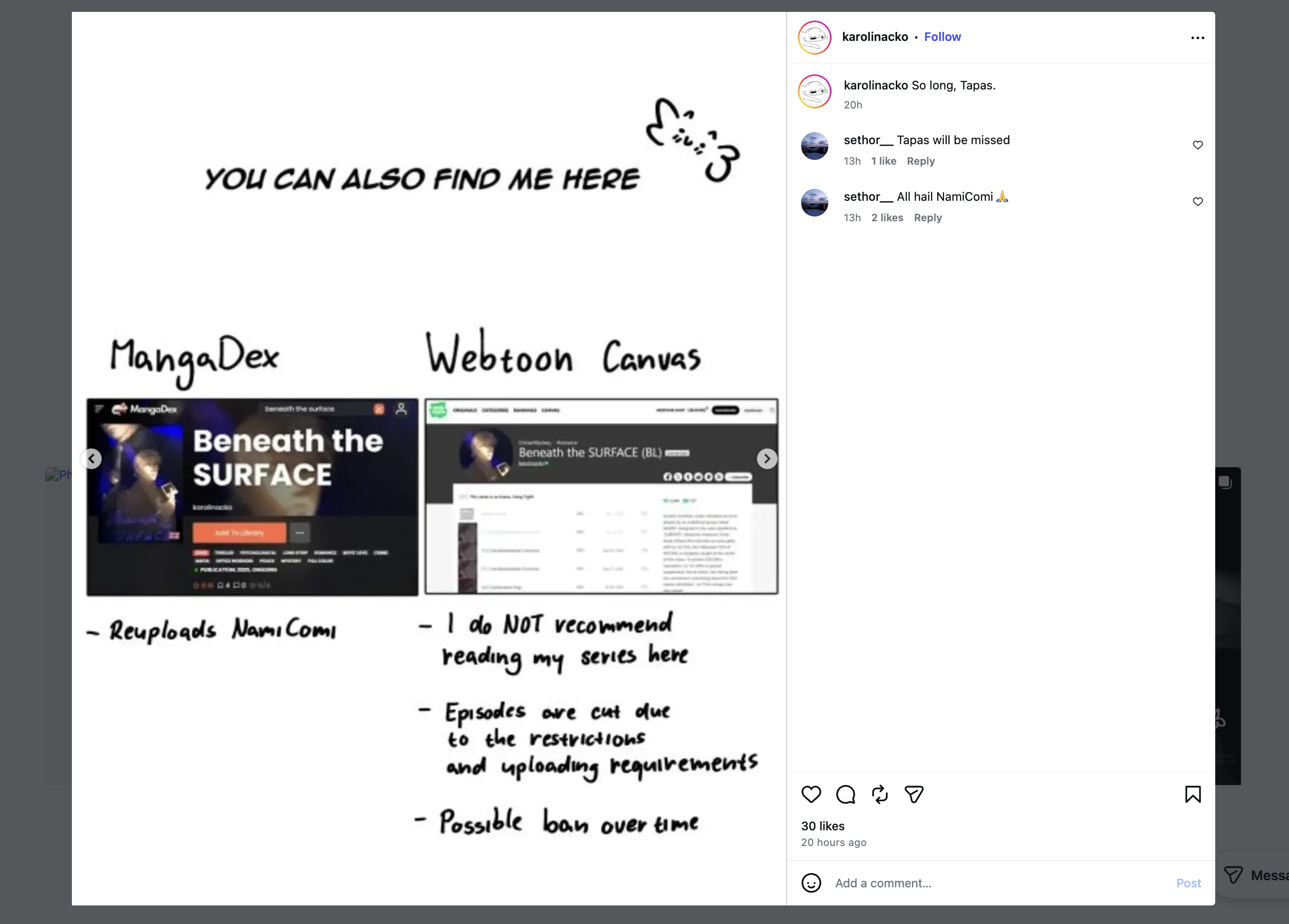
Do this while you can still reach your existing audience. Add the new link to your creator bio, episode notes, social profiles, and any pinned posts you use.
And avoid assuming that subscribers, comments, unlocked episodes, or other account data will move with your comic. Treat your new series page as a fresh destination and give readers a clear path to it.
If you're a Tapas reader
If a series you follow is moving, check the creator's profile, social accounts, website, or Discord for their new publishing links.
Tapas currently lets readers review their Transaction History, including purchased and earned Ink, Ink used to unlock episodes or support creators, and the series where episodes have been unlocked. You can find it from Settings > Transaction History in the mobile app, or by selecting your Ink balance on the Tapas website.
For updates related to the shutdown itself, check the official Tapas Newsfeed and Tapas Help Center
Choose where to publish after Tapas
Before uploading your whole catalog somewhere new, look at how the platform works for your series, your publishing habits, and the way you want to earn from your work.
A few things are especially worth checking.
Do you keep ownership of your comic?
Start by checking what happens to your rights when you publish.
Ideally, you should keep ownership of your comic and its intellectual property. Most platforms will still need permission to host, display, and promote your work, so take a moment to understand what rights you are giving them when you upload your series.
Is publishing exclusive?
Check whether publishing your comic prevents you from sharing the same series somewhere else.
A non-exclusive platform gives you more flexibility, especially when moving from Tapas. You can continue experimenting with different platforms and give existing readers more than one way to find your work.
If you already have a publishing or licensing agreement for your series, check its terms before uploading it elsewhere.
Is it free to publish?
Check whether you can create a series and upload episodes without paying, and whether useful creator tools are locked behind a subscription.
Some platforms are completely free to publish on, while others offer additional tools through paid creator plans.
How does monetization work?
Do not compare platforms only by the revenue percentage they advertise.
Look at:
- When you become eligible
- Whether there are minimum followers, likes, views, or episodes
- What readers actually pay for
- Which episodes you can monetize
- The platform's share
Different platforms can use very different models: advertising, subscriptions, paid episodes, reader support, or a combination of several systems.
What matters is understanding how your comic earns money and what your readers need to do to support it.
Can you decide what stays free?
If you already have a long series, think about how much of it you want new readers to access before reaching paid content.
Some platforms monetize through advertising or reader support. Others let creators put individual episodes or chapters behind paid access.
Check whether you can:
- Keep the whole series free
- Choose which episodes or chapters are paid
- Change that choice later
- Offer free previews
This can make a big difference to how you rebuild your audience after moving.
Does the platform support your language?
If your comic exists in English, French, Spanish, or several languages, check how the platform handles translations.
A useful language system should let readers clearly find the version made for them without forcing you to mix several translations into the same episode feed or send readers to a completely different experience.
If translations are an important part of your audience, look at this before rebuilding your series page.
Check the content rules before uploading
A platform that works well for one comic may not work for another.
This is particularly important for mature series, horror, violence, nudity, sexual content, or other material that platforms may handle differently.
Read the content guidelines before uploading dozens of episodes. Check whether restrictions apply to the whole series, individual episodes, thumbnails, previews, or how mature content must be labelled.
Look at the publishing tools you'll use every week
Finally, look beyond the series page itself.
Useful features can include:
- Scheduled publishing
- Draft episodes
- Episode editing
- Reader notifications
- Analytics
- Multiple language versions
Before committing your backlog, create an account, test the publishing workflow with your own series, and make sure the tools fit the way you want to publish.
Prepare your series for its new home
Once you know where you want to publish, take a little time to prepare the series page before uploading everything.
This is a good opportunity to clean up the way your comic is presented and make sure new readers understand what the story is about right away.
Prepare your series page
Have these elements ready:
- Series title
- Short synopsis
- Genres and tags
- Cover and thumbnail
- Creator name and links
- Content warnings or maturity information, if needed
If your current Tapas description is outdated, rewrite it before moving. Keep it short, clear, and focused on the main hook of the story.
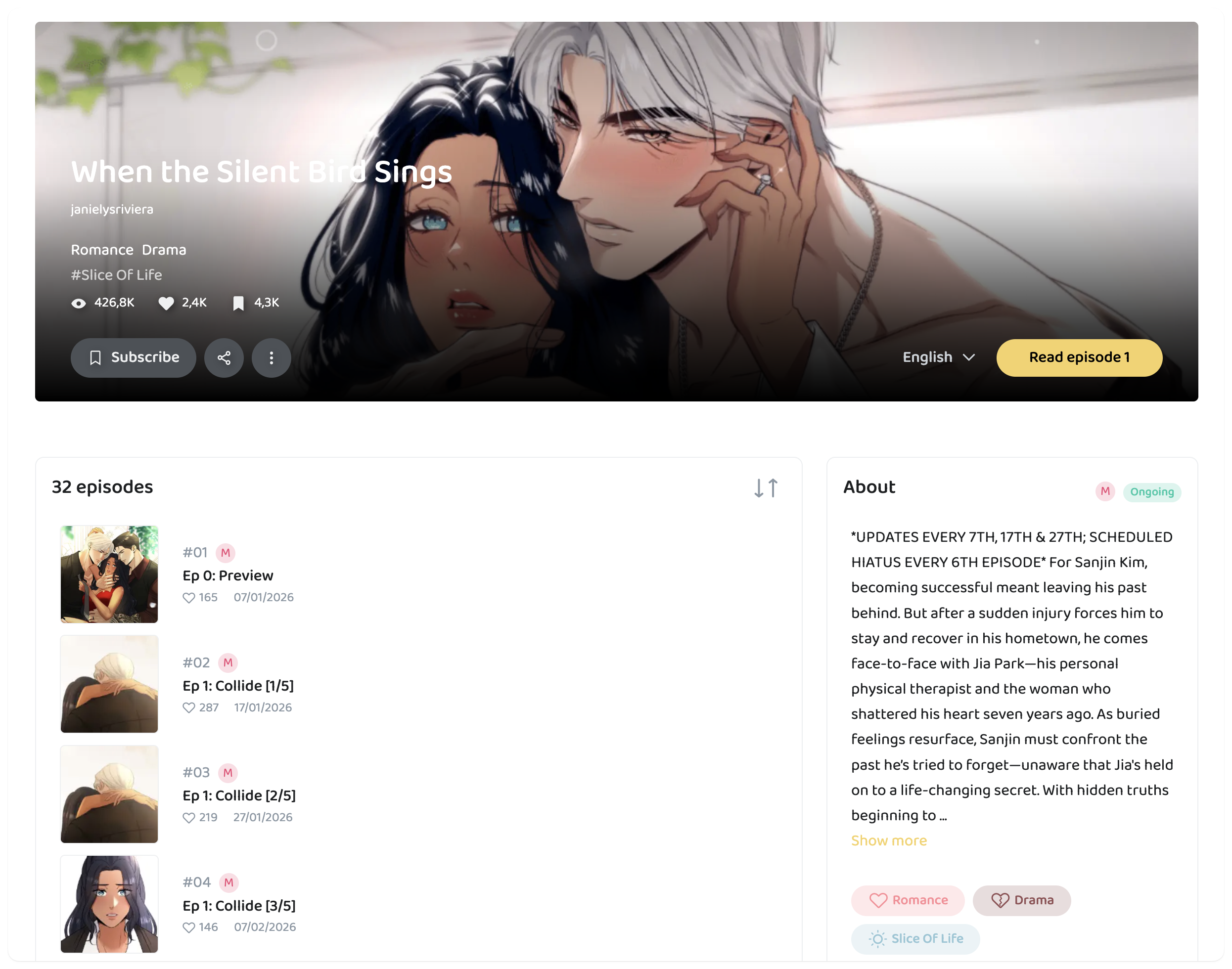
Your cover and thumbnail are also worth checking. Different platforms use different dimensions, so keep your original files and export new versions instead of stretching an old image to fit.
Check your episode files
Before uploading, make sure your episodes are in the correct order and match the technical requirements of the new platform.
Check things like:
- Supported image formats
- Image width and maximum dimensions
- File size limits
- Number of images allowed per episode
If you have a large backlog, test one episode first. This makes it easier to spot image-quality, cropping, spacing, or upload issues before repeating the same process across dozens of episodes.
Decide how you want to republish
You do not necessarily need to upload your entire series in one day.
Think about how you want readers to discover it on the new platform. You could publish several episodes at launch so new readers have enough to start with, then return to your normal schedule afterward.
If the platform supports monetization or paid episodes, decide which parts of your series you want to keep free before you start publishing.
Finally, preview your series and at least one complete episode as a reader before sharing the new link. Check the cover, description, image quality, episode order, and your creator links.
Once everything looks right, you have a new series page you can confidently send to your existing readers.
Moving your comic to LEMOON
If you're looking for a new place to continue your series, you can also publish it on LEMOON.
Publishing is free, your comic remains yours, and LEMOON is non-exclusive. You can keep publishing the same series on other platforms too.
Start by creating your series
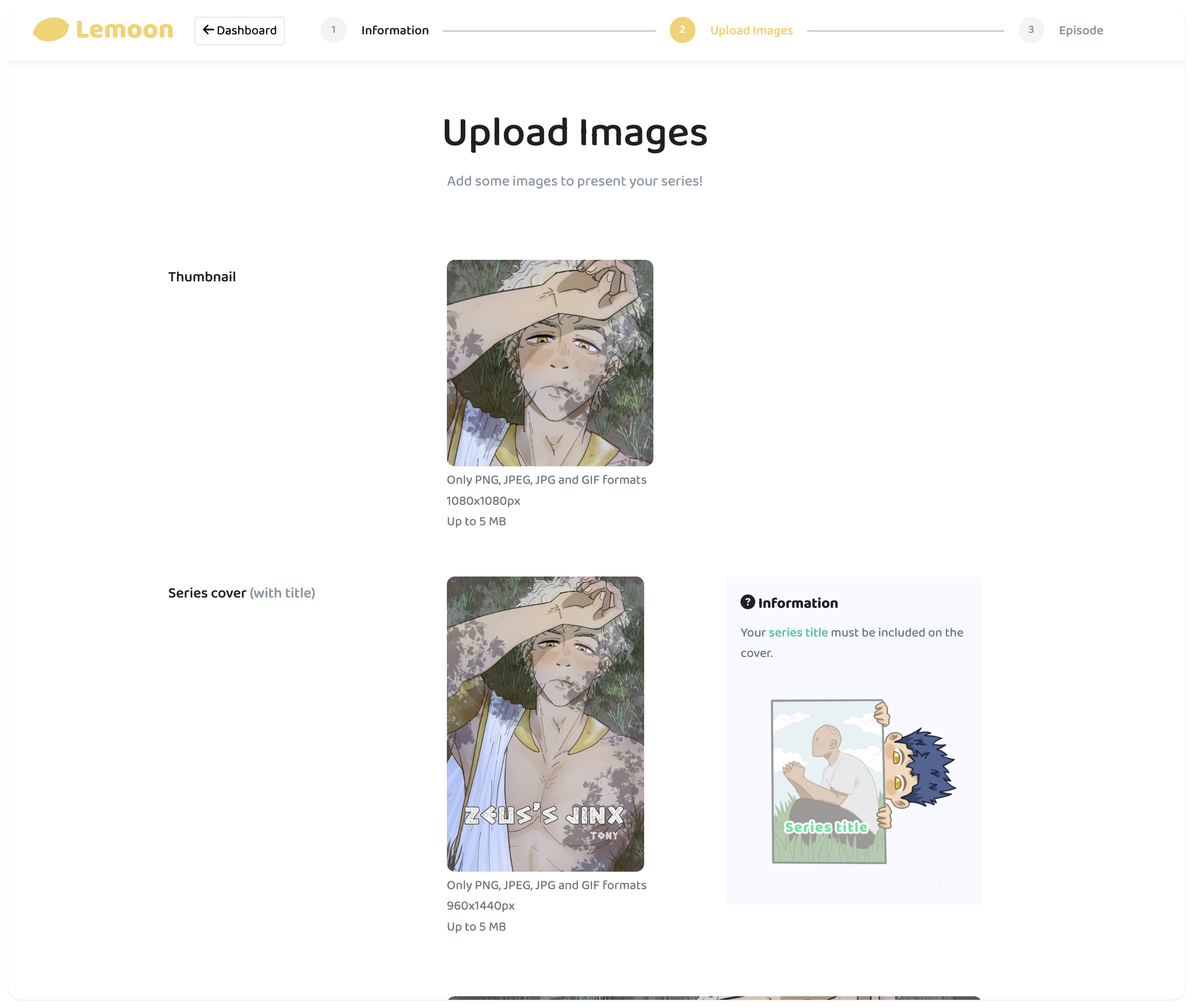
Once you create your account, you can set up your series in a few simple steps:
- Create your series page
- Add your title, description, cover, and genre
- Upload your episodes in order
- Publish when you're ready
If your comic exists in several languages, you can also create separate language versions so readers can easily find the version made for them.
You keep control of monetization
Once your series reaches 5 episodes, you can enable monetization. Creators receive 70% of the revenue generated by their series, and you decide which eligible episodes stay free or become paid.
That gives you room to keep part of your series open for new readers while monetizing later episodes.
You don't need to leave your other platforms
Publishing on LEMOON does not require you to remove your comic from anywhere else. You can make LEMOON your main home, publish there alongside other platforms, or simply use it as another place where readers can discover your series.
Where to go from here
If your comic is on Tapas, you do not need to figure everything out at once.
Start with the essentials: save your work, make sure readers know where to find you, and prepare your series for wherever you decide to publish next.
If you want to continue on LEMOON, you can create your series and start publishing for free.